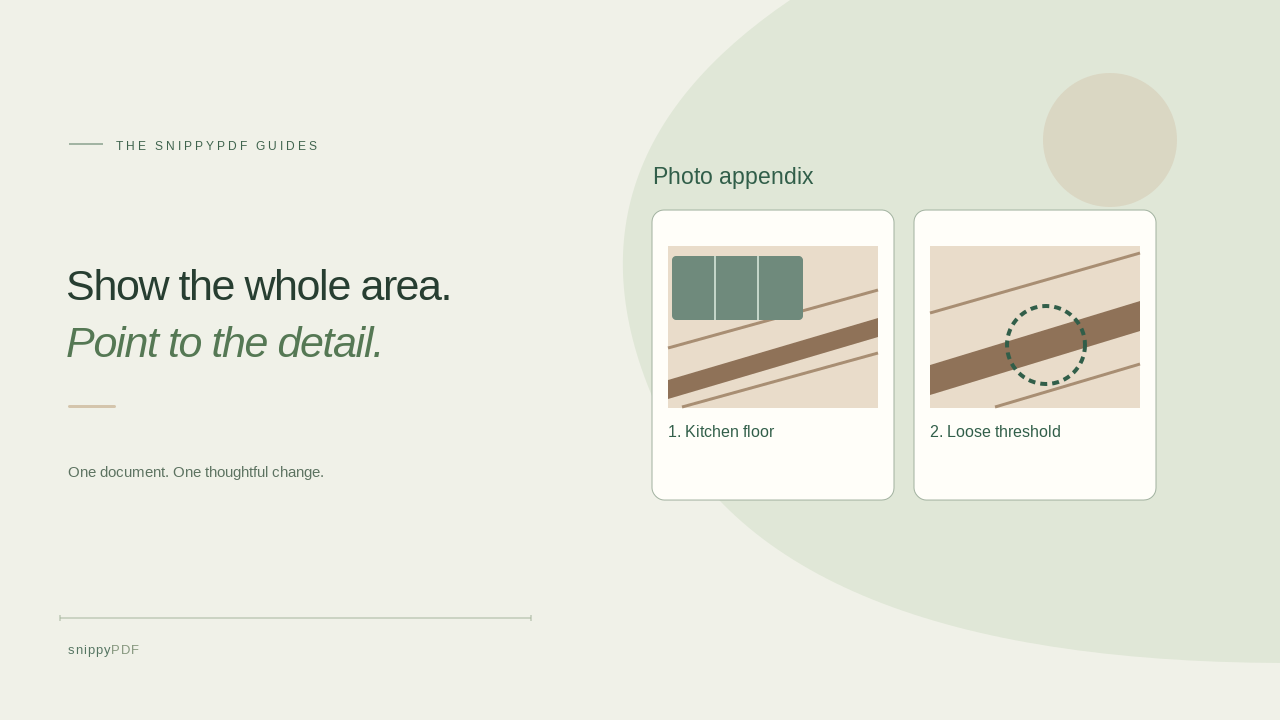
Turn site photos into a separate PDF and link each image to the work it helps explain in your quote.
Pair a wide photo with a detail photo
If your quote includes work on two parts of a room, give each area a name the client will recognize. For a kitchen flooring quote, take one wide photo that shows where the kitchen meets the dining room and one close-up of the loose threshold. Keep the original photos. If a photo includes unrelated personal details, choose another angle or leave it out of the version you share.
Put the photos in the order your quote mentions them
Open Images to PDF, add your JPG or PNG photos, and use the move controls to put the wide view first and the detail second. Rotate any sideways images before exporting. Each photo goes on its own PDF page. Open the resulting PDF and check that the threshold is easy to spot on page two, even on a phone. Free trial exports are watermarked.
Write down what the reader should look for
In the quote, put a page reference next to the relevant work item. For example: ‘Kitchen flooring, photo appendix p. 2. The threshold moves when stepped on. Remove it to inspect the substrate and confirm whether it needs repair.’ Keep the measured flooring area in the quote and say how you measured it. If the condition underneath is unknown, price or describe any additional work separately and say what would trigger it.
Send the matching quote and photo appendix together
Use the same project name and revision on both files, such as Kitchen-Quote-R2.pdf and Kitchen-Photos-R2.pdf. Open both downloads and follow the references as a client would. If you move or remove a photo, update the quote page references before sending. If you also share a drawing or digital mockup, label it as a proposed result and keep it separate from the photos of the current condition.
See supported PDFs · Try the watermarked editor preview
Open Images to PDF · Keep quote revisions organized
More practical guides
- How to check a photo PDF before printing
- How to replace one page in a PDF
- How to copy text from one page of a scanned PDF
- How to reorder pages in an existing PDF
- How to remove a blank page from a PDF
- How to recognize English and Spanish text in the same document photo
- How to split selected PDF pages into separate files
- Turn a paper checklist photo into a PDF you can reuse
- How to rotate one page in a PDF and save the change
- How to insert a photo page into an existing PDF
- How to put front and back photos in one PDF
- How to extract nonconsecutive pages into one PDF
- Make document photos searchable in a PDF without rewriting the page
- Fix sideways document photos before making a PDF or running OCR
- Edit grouped text in a PDF online: a fictional DoorDash receipt example
- A4, Letter or Fit image: which PDF page size should you choose for photos?
- How to check numbers after turning a document photo into a PDF
- How to turn iPhone HEIC photos into a PDF without converting them first
- How to type on a blank line in a PDF without changing the sentence
- How to make a working copy of a scanned PDF without losing your original
- How to photograph a paper document for a readable PDF
- How to make a photo-heavy PDF smaller and check the result
- How to turn PDF pages into PNG images for a presentation
- How to add notes and highlights to a PDF
- How to check the edition of a USCIS PDF form
- How to turn phone photos into a PDF you can annotate
- How to correct words in a PDF made from a photo
- How to update a workplace checklist in a PDF
- How to keep PDF quotes and revisions organized
- How to correct a student project cover page in a PDF
- How to check names and accents when editing a PDF
- How to prepare a PDF before signing it
- How to edit existing PDF text without changing the surrounding sentence
- How to replace a PDF image without stretching it or covering nearby text
- Why PDF text will not edit: check the font, text layer and scan
- PDF editing preview versus clean export
- Why a detected PDF font may change when you edit the wording
- Before you send an edited PDF: a practical download-review checklist
- Saved draft or downloaded PDF? How to keep your edits and original
- How to assemble and check an organized PDF packet